Nineteen rows
Everything, equally loud
Six that need you
And what to do about them
ConnectWise records every hour, ticket and note. It was never built to show a project manager where nineteen live projects stand on a Monday morning, or which engineer is already two hours over before the day begins.
Onboarding MSPs by invitation. We connect ConnectWise with you.
Everything in here serves one of them. ConnectWise still holds the data, so nothing has to be reconciled later.
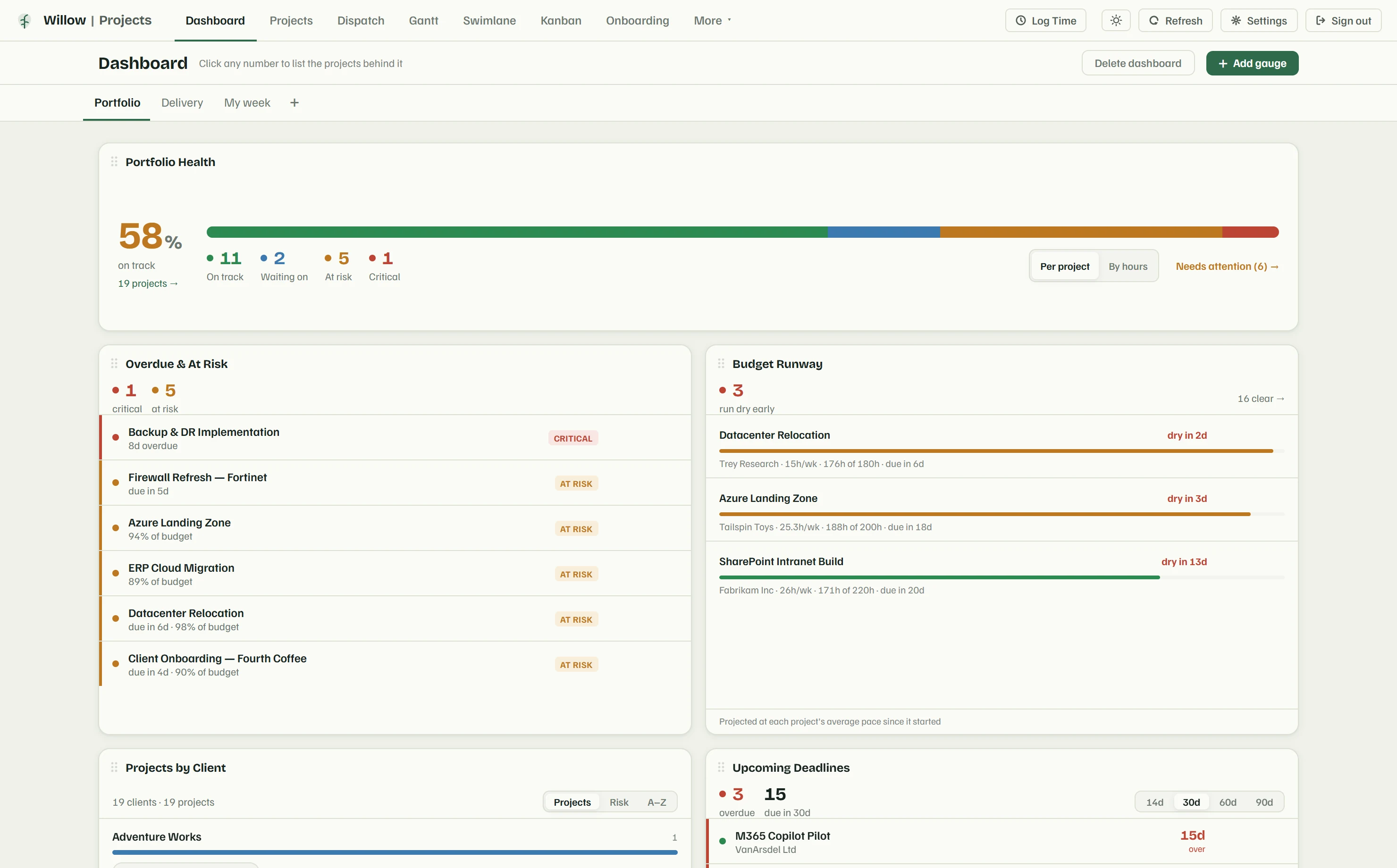
Read the whole portfolio on one page: what is on track, what is quietly burning through its budget, and which deadlines land this week. Every figure is clickable, so a count of six projects needing attention opens those six.
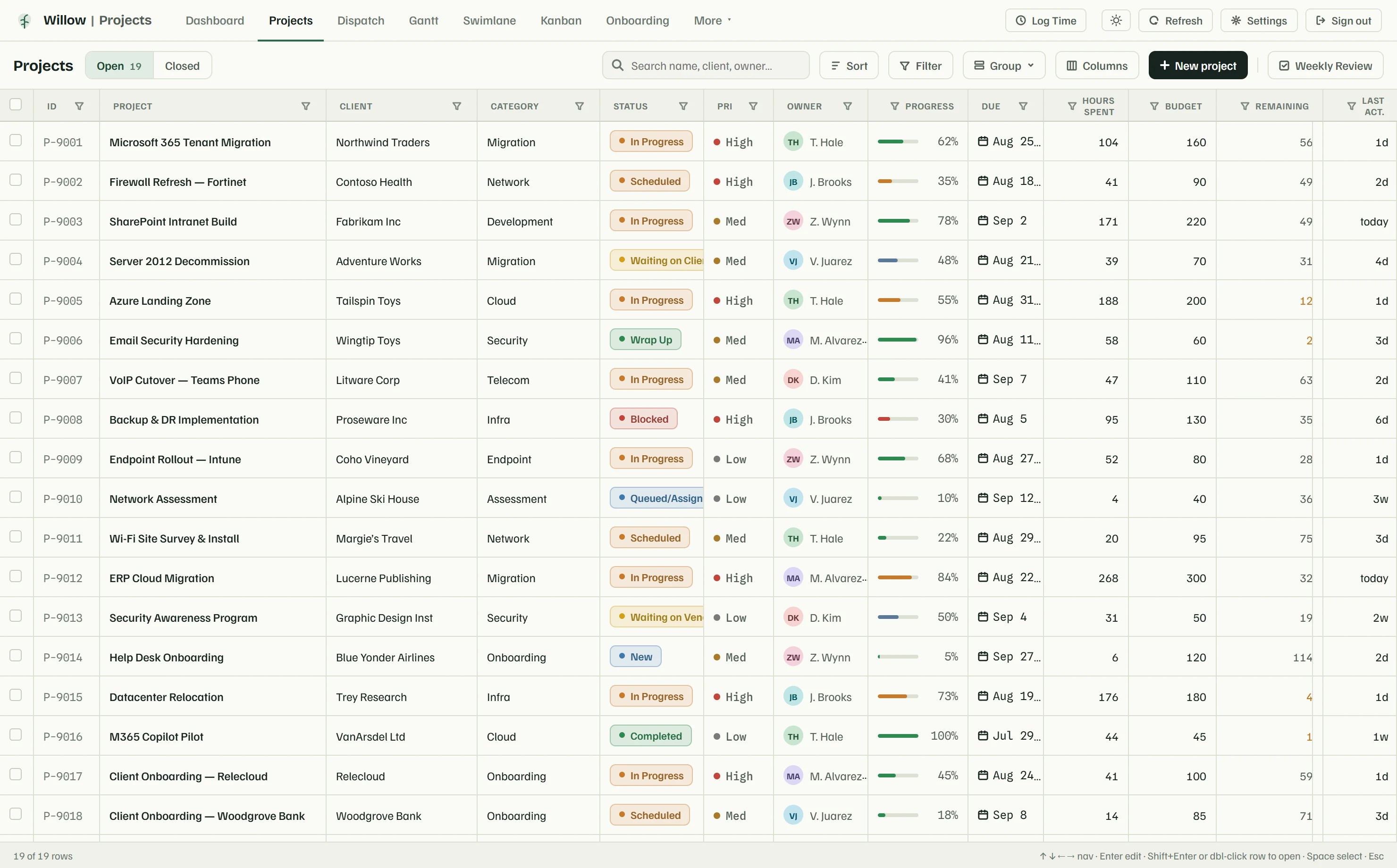
Edit a cell in the grid, drag a card to a new column, book an engineer onto a ticket, tick off a milestone. All of it posts to ConnectWise as you do it, under the name of the person who did the work, not a service account.
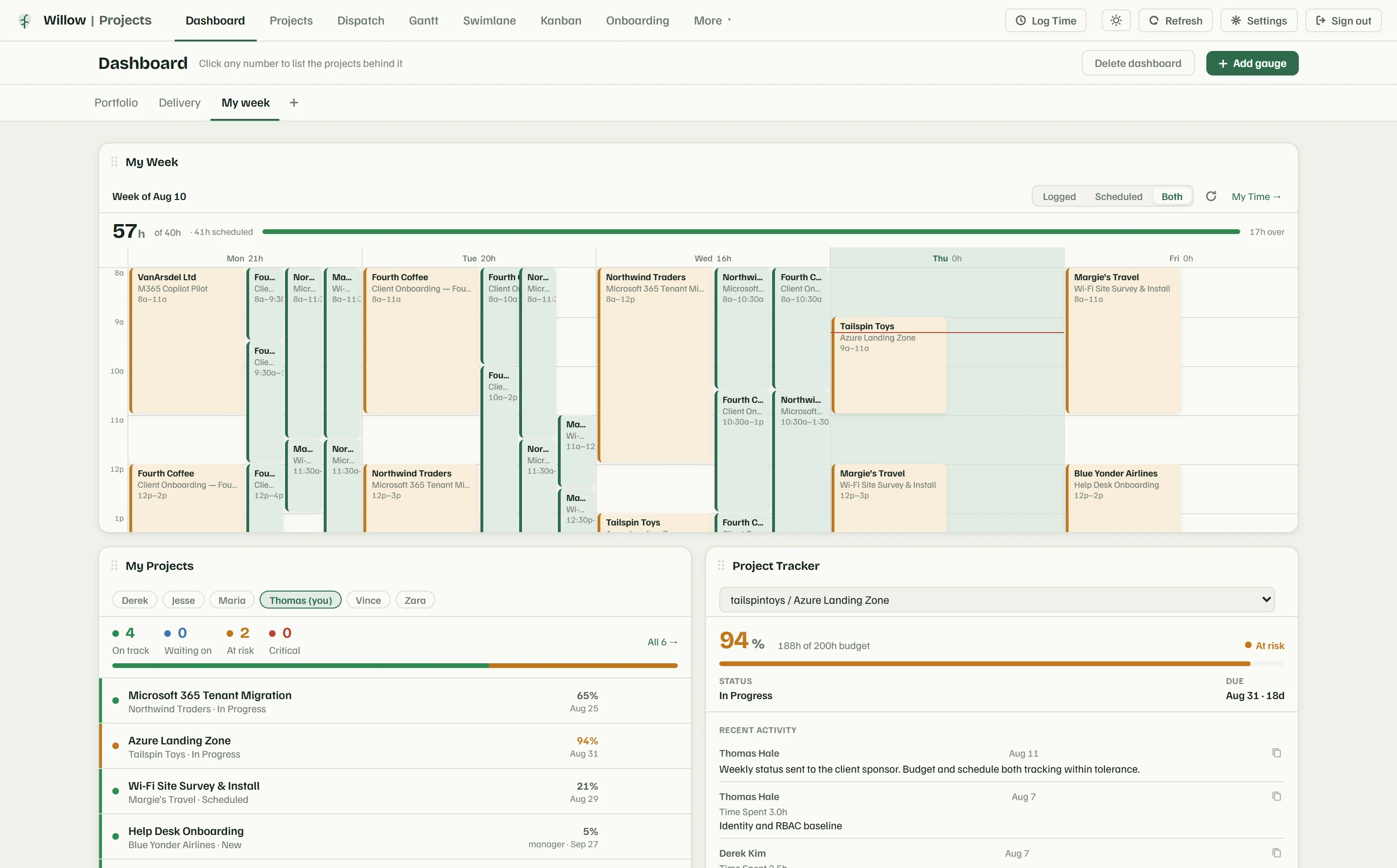
The hours, milestones and activity are already there. You add the part only you can write: what is outstanding, what happens next, what you need from them. It goes out under your logo, now or on a weekly schedule.
Real screens filled with sample data, so nothing is blanked out. The figures beside each one were read off the screen you are looking at.
On the screen shown
The decision it supports: which six projects get your Monday, before anyone opens a ticket.
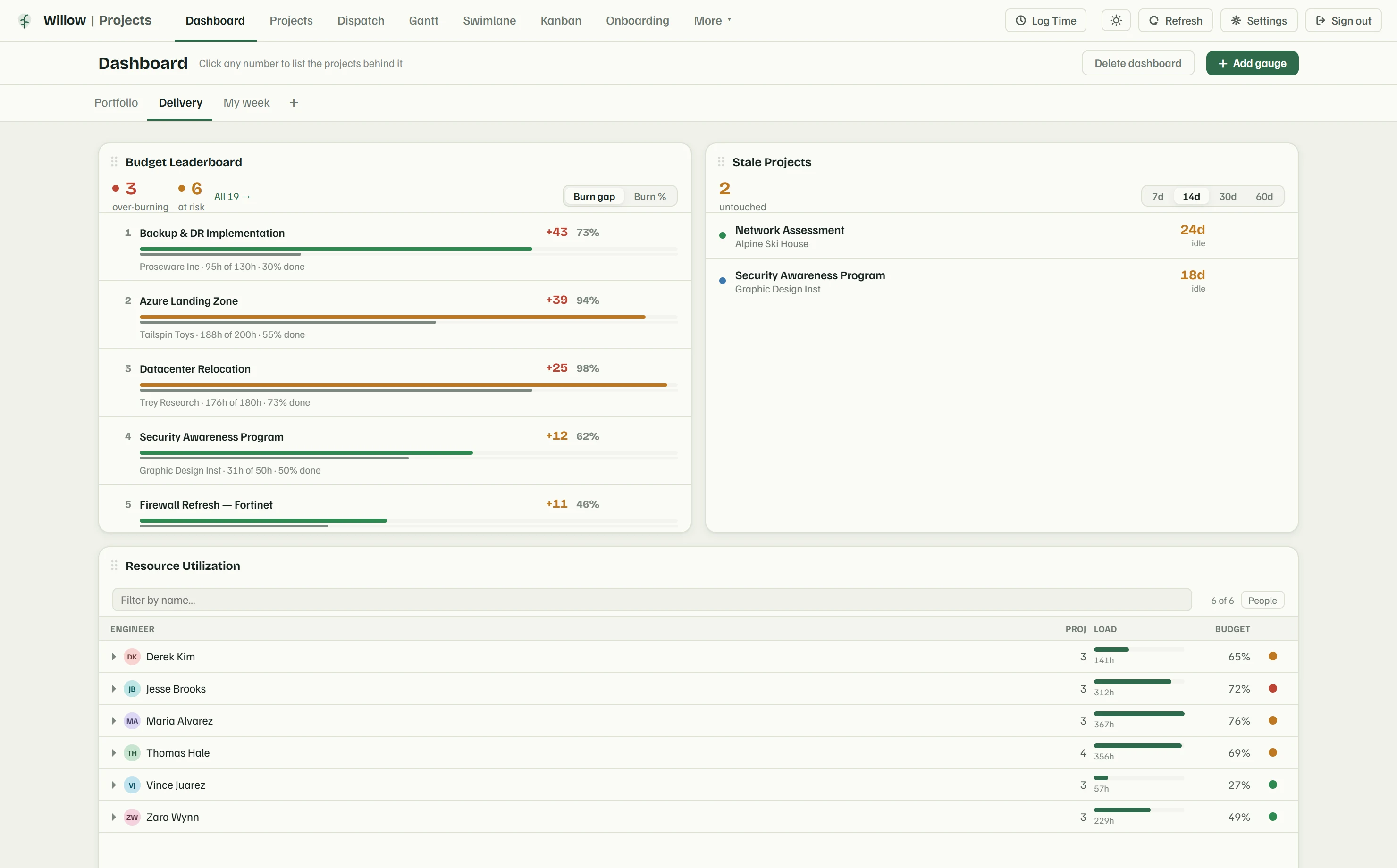
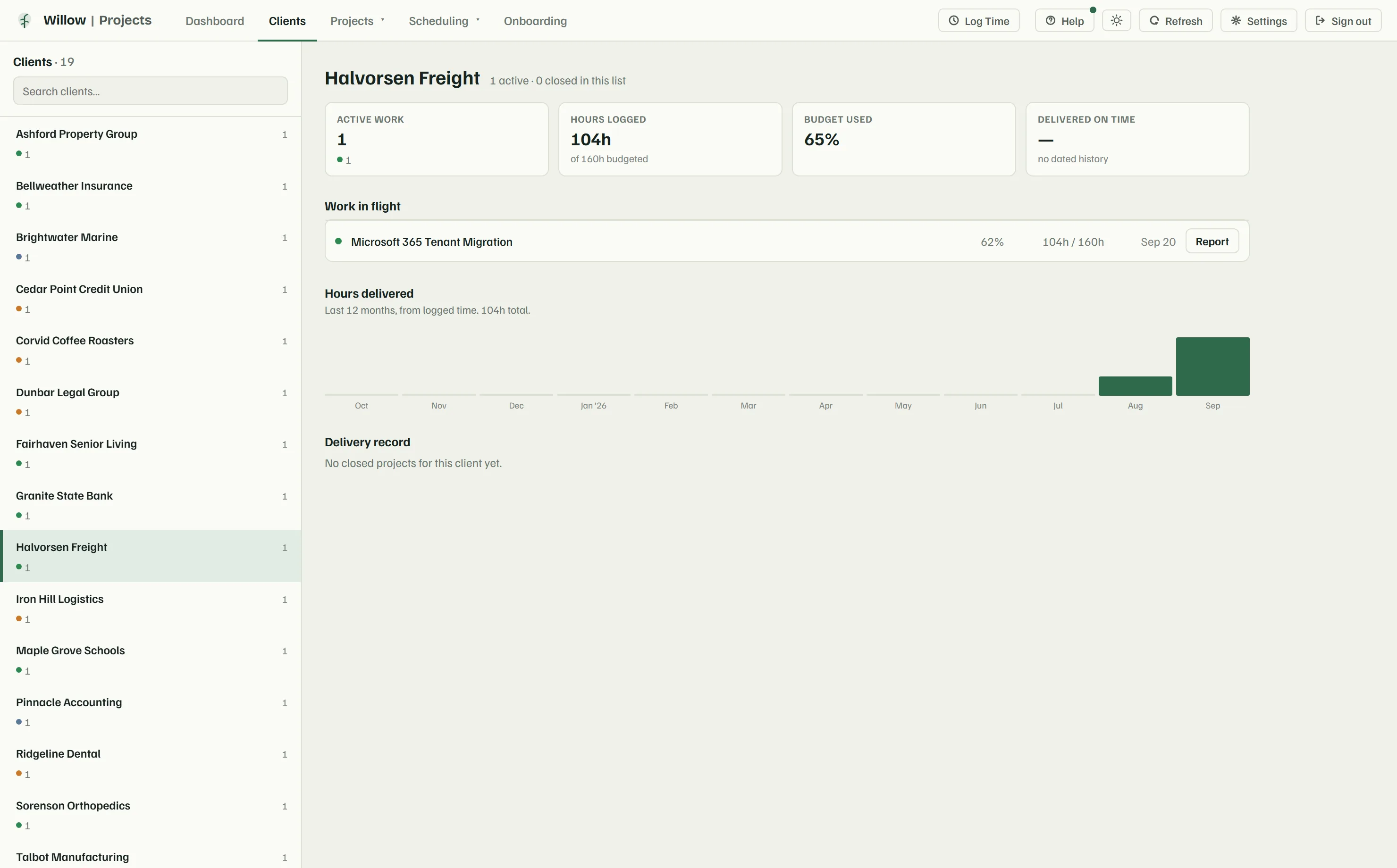
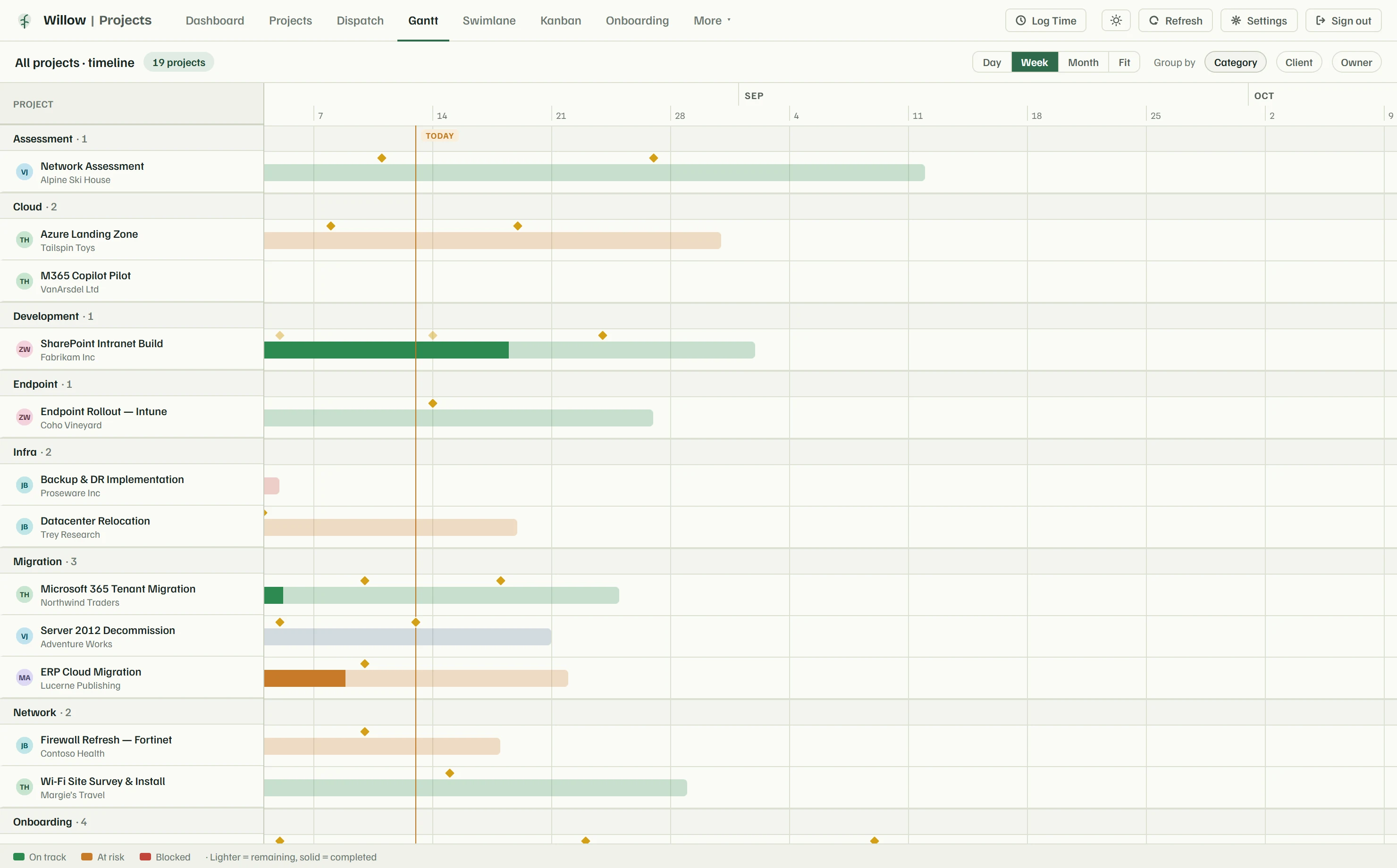
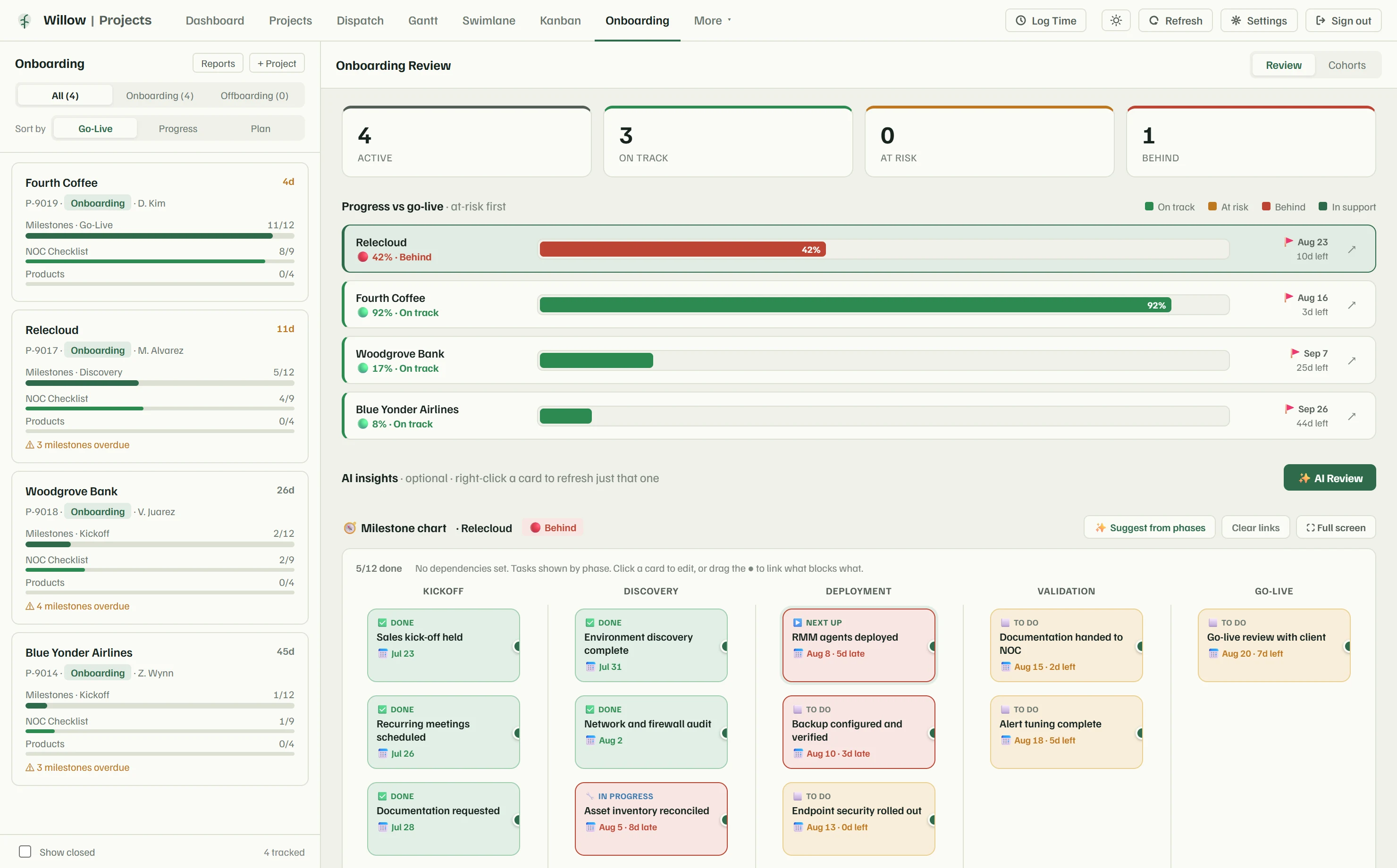
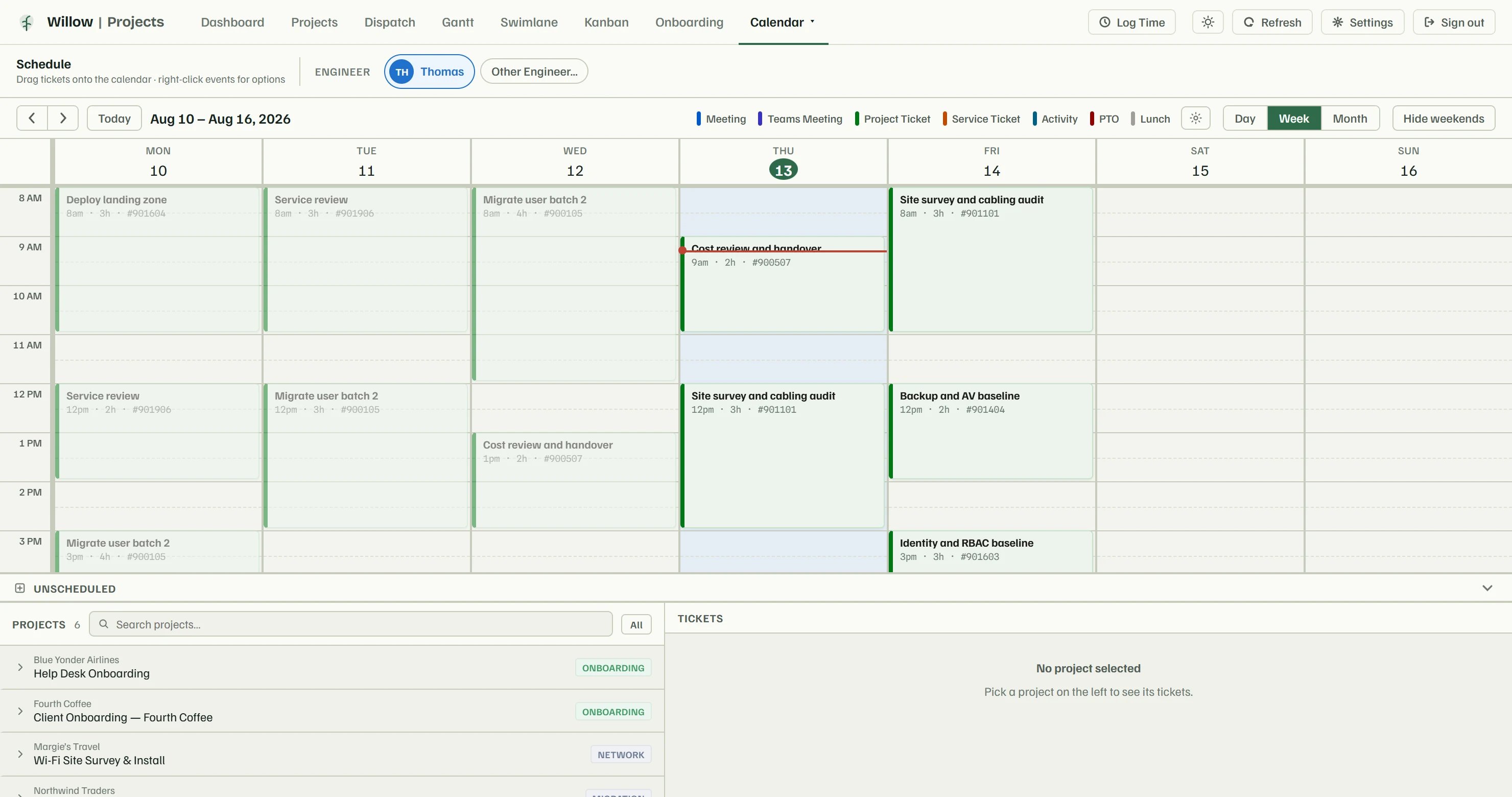
On the screen shown
The decision it supports: who takes the ticket that just came in, without making somebody's Tuesday worse.
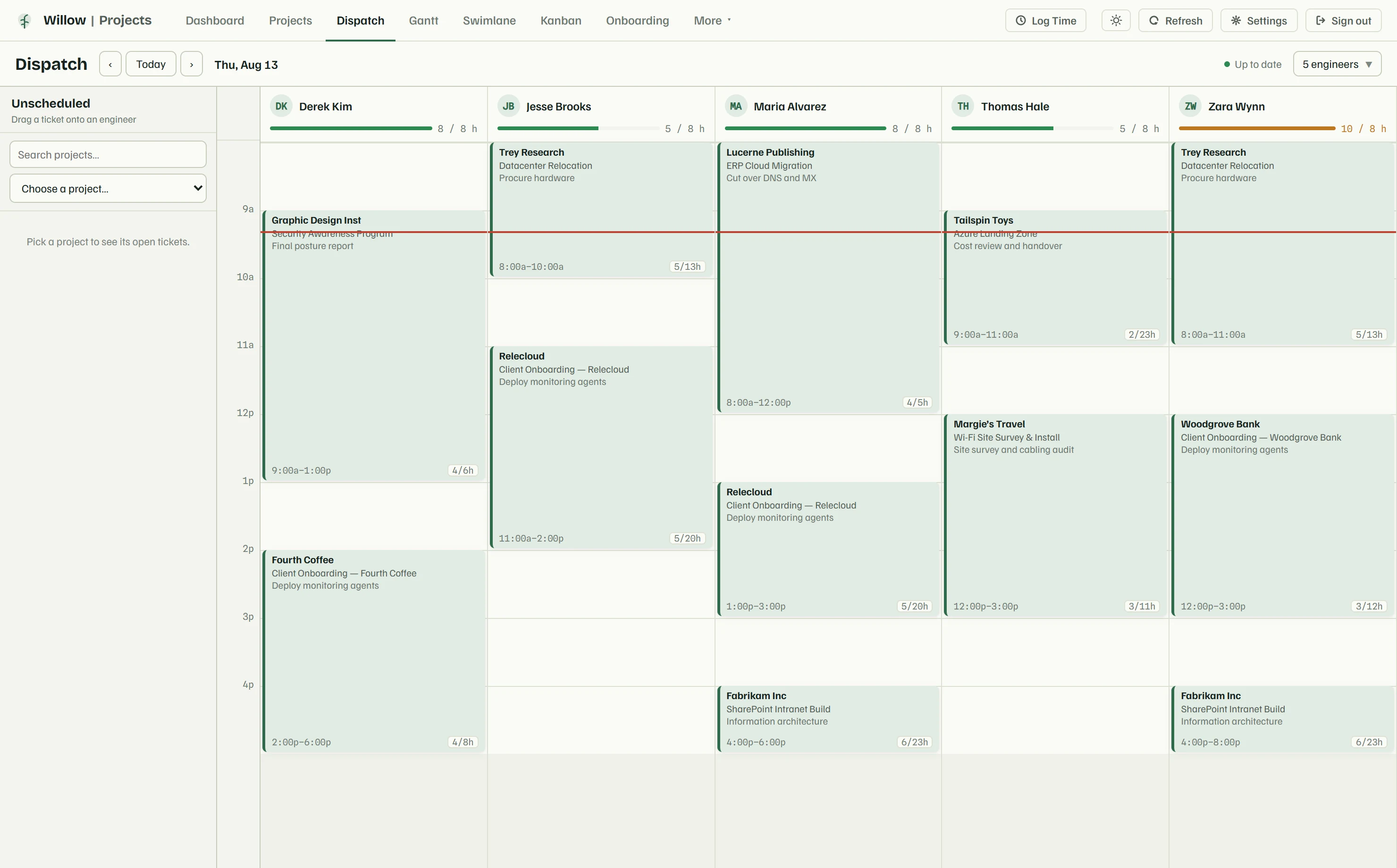
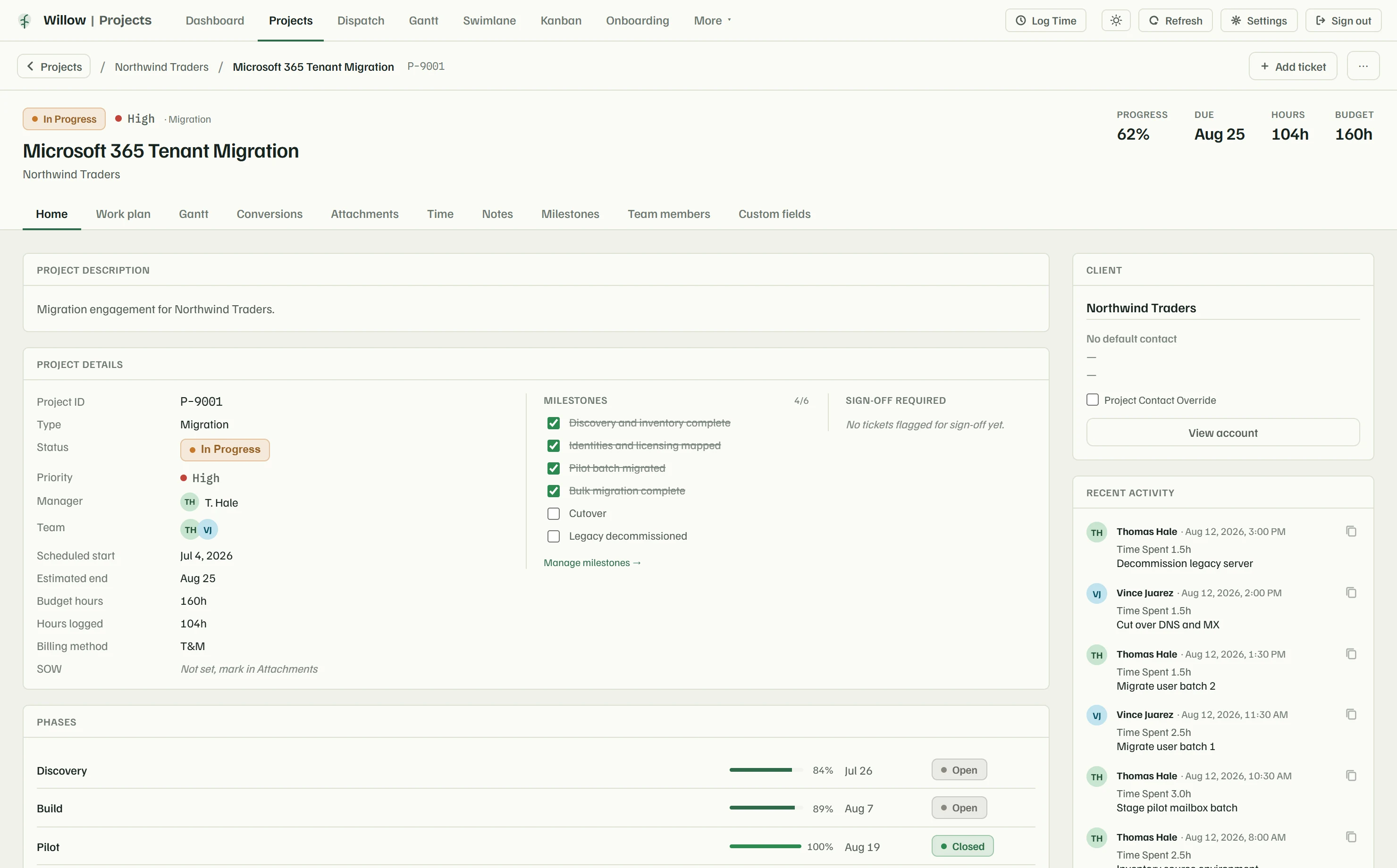
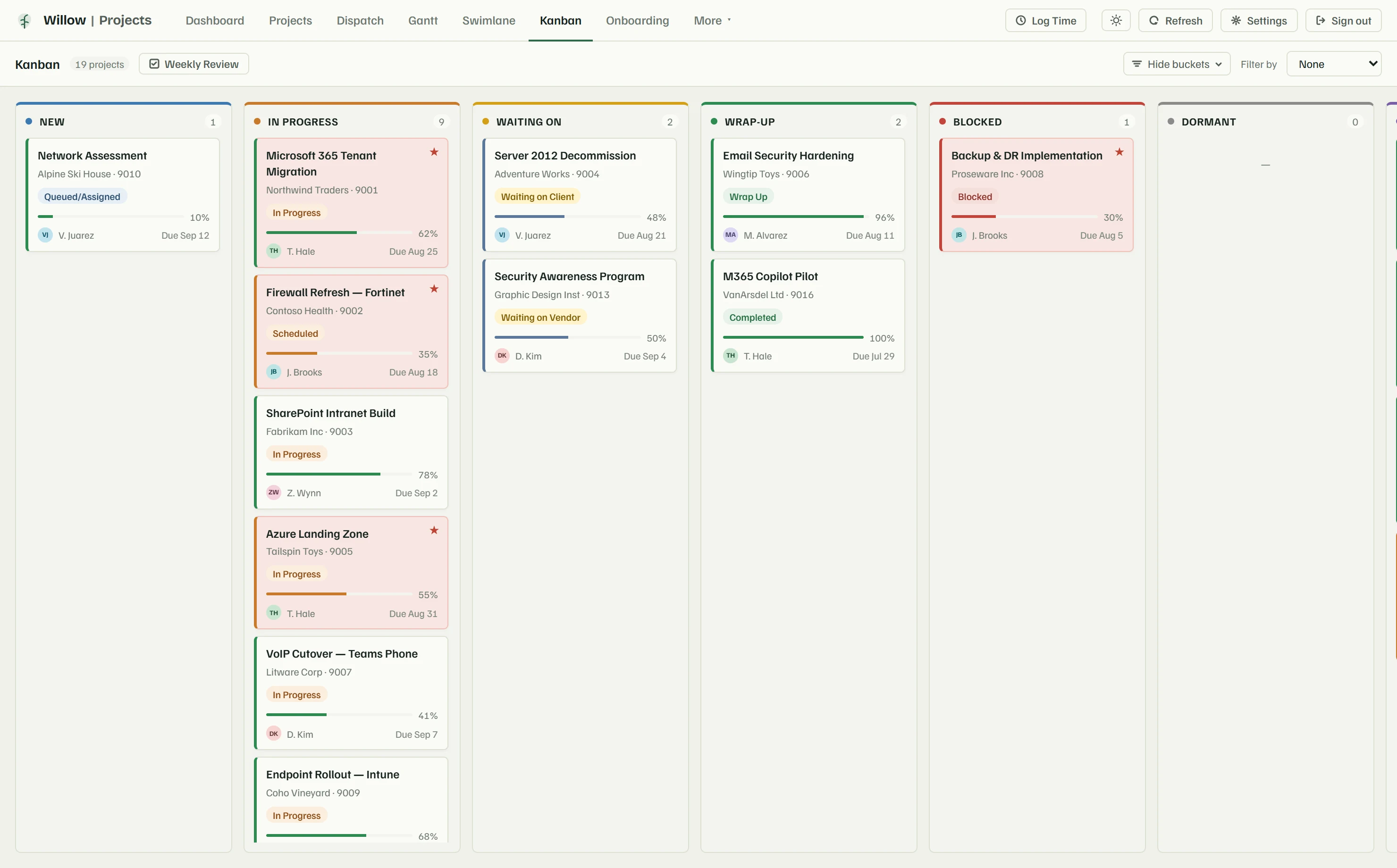
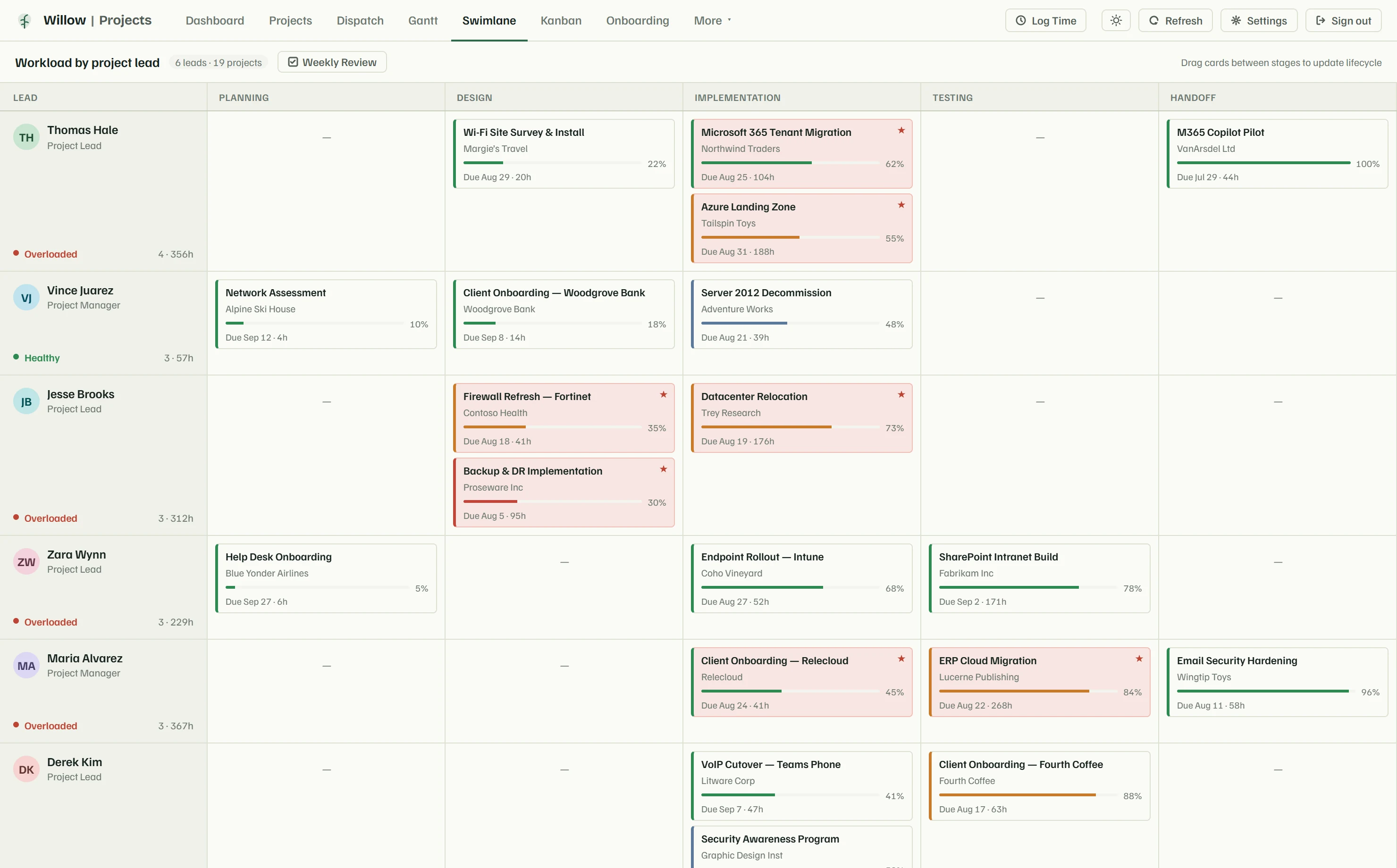
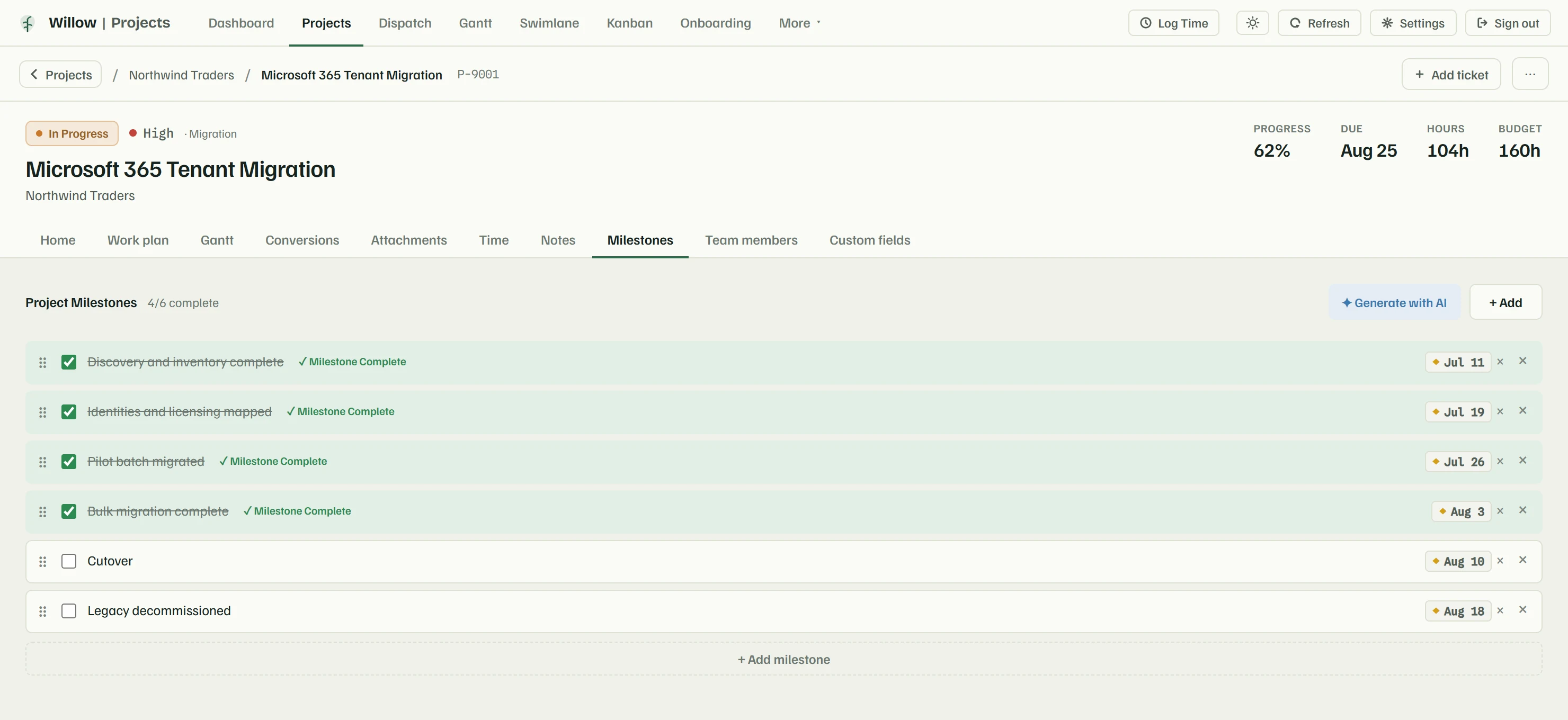
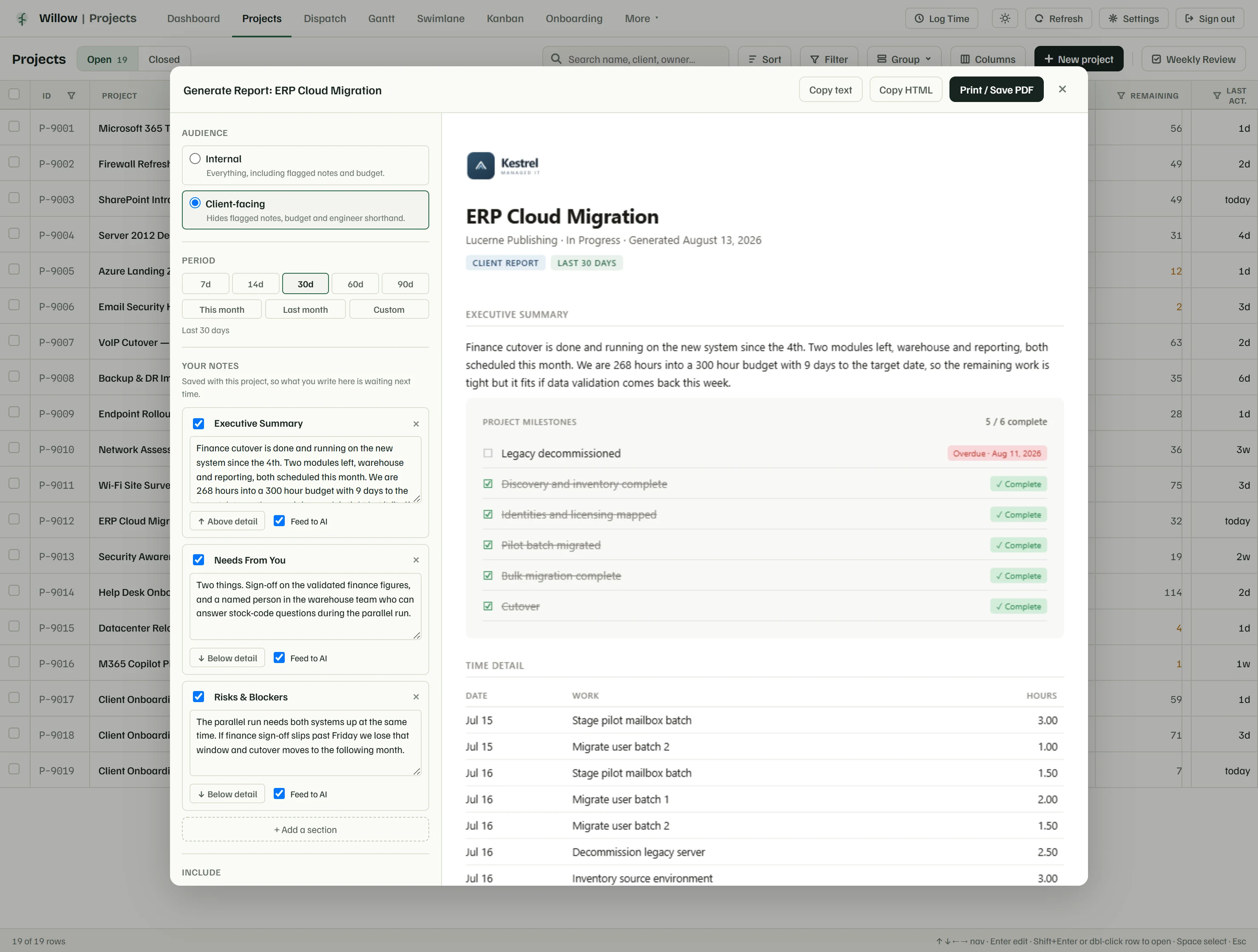
On the screen shown
The decision it supports: whether this month's update is a good-news email or a conversation about scope.
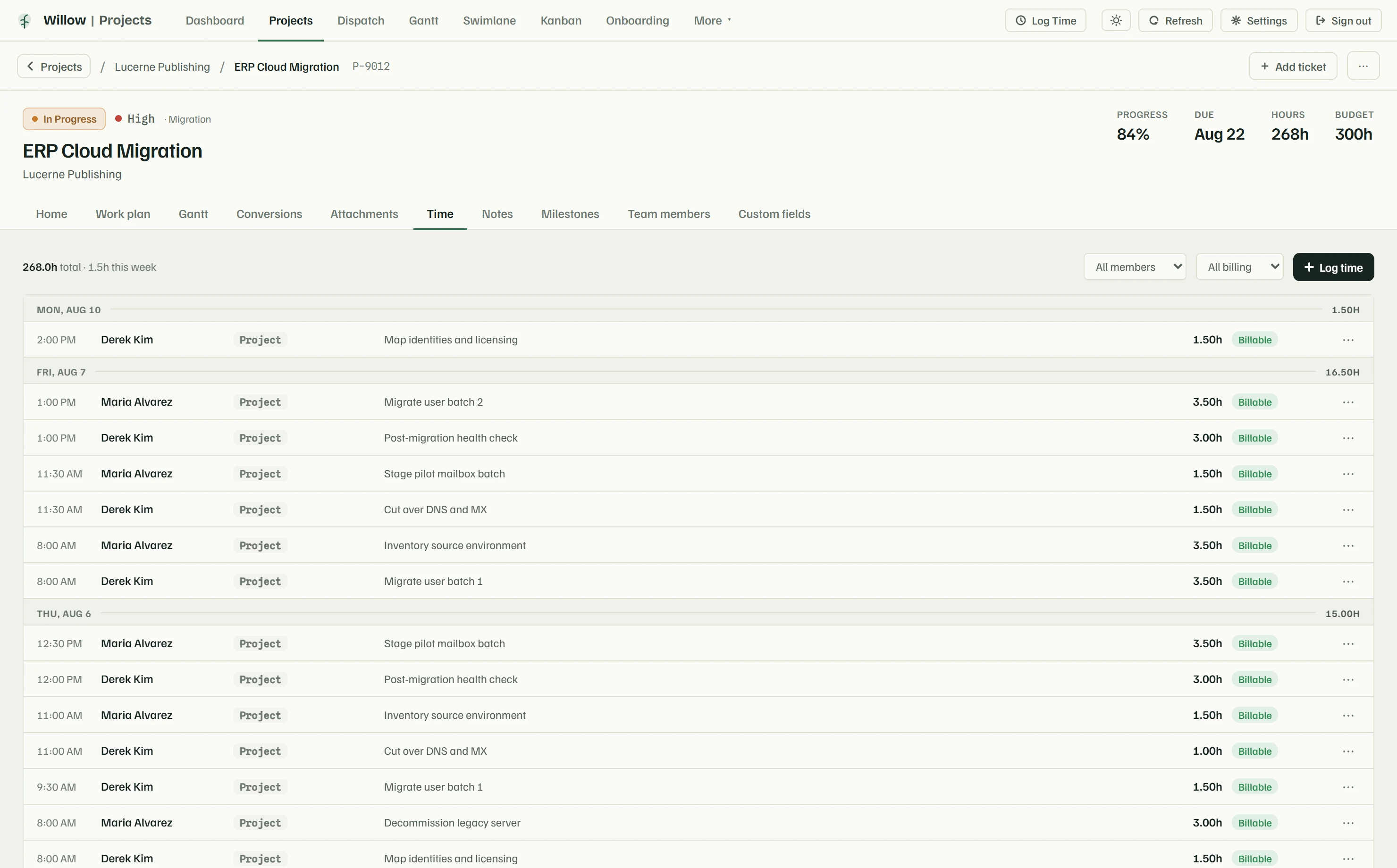
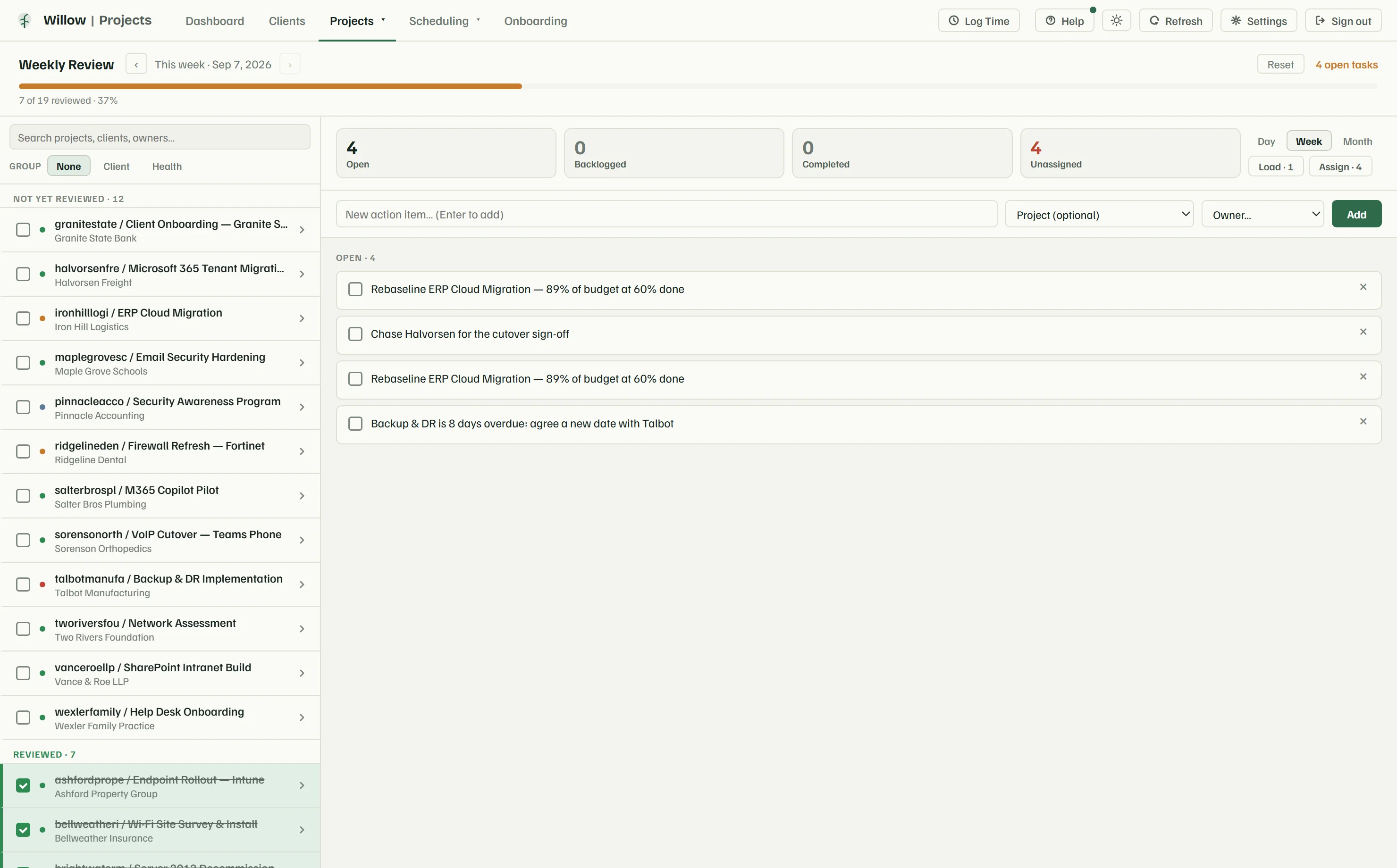
That is the whole product. The next screens like these have your clients on them, with your own ConnectWise behind them.
ConnectWise holds your clients, your contracts and every hour your team has logged. Here is exactly what we do with that access.
We would rather answer your security team's hard questions before you connect your PSA than after. The full write-up covers data handling, roles, retention, incident response and the subprocessors we use.
Everyone signs in with Microsoft, so your own MFA and conditional-access policies apply without us doing anything. We never issue a Willow Boards password, so there is none to leak, reuse or phish.
Your ConnectWise credentials sit encrypted in an isolated secrets vault. They are never written into our source code, never stored in the database beside your data, and never sent to anyone's browser.
Each workspace's data is separated at the storage layer, and every request is bound to its workspace before any of our code runs. That binding is not a filter a developer could forget to apply.
We log each write to your ConnectWise with who made it, when, from where and what changed. Every write also passes an allow-list, so only the fields you edited can move. The log is yours to read whenever you want.
When we help you troubleshoot, our access is read-only, expires by itself, and is recorded at both ends. We cannot change your data or your ConnectWise, even by accident.
Every AI feature ships switched off, and stays read-only once you turn it on. It summarises and suggests; it never writes to ConnectWise. You connect your own API key, feature by feature, so the provider is your choice.
The questions MSPs actually ask us on the first call, answered the way we answer them on the call.
Ask us something elseNo, and it is not a migration. ConnectWise stays the system of record. Every project, ticket, note and hour lives there before and after. Willow Boards reads from it and writes back to it. The only things we keep are the ones ConnectWise has nowhere to put, like your board columns and dashboard layouts, so there is never a second copy of your data to reconcile.
It writes. Status changes, project and ticket notes, time entries, milestones and schedule entries all land in ConnectWise. Every write passes a field allow-list, so only the field you actually edited can move, and each one is logged with who made it, when, from where and what changed. The one exception is AI, which reads and summarises but never writes.
An API member with a public and private key, plus your company ID and a client ID. You paste them once in Settings, and we test them against your instance before storing anything, so a wrong key fails at that moment. If your ConnectWise is on a different host or region, you can point us at your own URL.
Yes. Map each person to their ConnectWise member and their entries post under that member. Anyone who adds their personal ConnectWise My Account keys goes further still, and their writes authenticate as them, so the audit trail inside ConnectWise names the actual human who did the work.
Anyone who signs in. Sign-in runs through Microsoft, so it is your existing accounts with your MFA and conditional-access policies already applied. Admins, project managers and engineers each see a different amount of the product, and the server enforces those limits, so a hidden button is never the only thing standing in the way.
One session. Connect ConnectWise, pick which statuses and work types you actually use, invite your team, and the portfolio is populated from your live data. There is nothing to import and no historical clean-up to do first. Boards, templates and report branding can be shaped afterwards, while people are already using it.
We are not publishing pricing while the beta is closed. The MSPs onboarding now are helping set it, and it would be dishonest to post a number we intend to revise. You will see the price before anyone asks you for it.
Your ConnectWise is untouched, because it was always the record. On your word we delete the workspace outright: every stored row and your vaulted credentials go with it.
Sign-in through Microsoft, credentials in an isolated vault that no browser ever sees, workspaces separated at the storage layer, every write on the record, and support access that is read-only and expires by itself. The full write-up — data handling, retention, subprocessors and incident response — is on the security page.
We work closely with every early team to get ConnectWise connected properly, and what they ask for decides what we build next. Tell us about your MSP and we will be in touch when there is room.
Willow Boards is in closed beta. Tell us a little about your MSP and we will be in touch.